\n\n\n\n\n\n\n\n\n\n\n
\n
\n
\n \n\n
\n
\n
\n

MEET Comet

\n

Remote KVM over Internet

\n
\n
\n
\n
\n\n \n
\n \n \n
\n\n
\n
\n
\n
\n
\n

What is Remote KVM?

\n

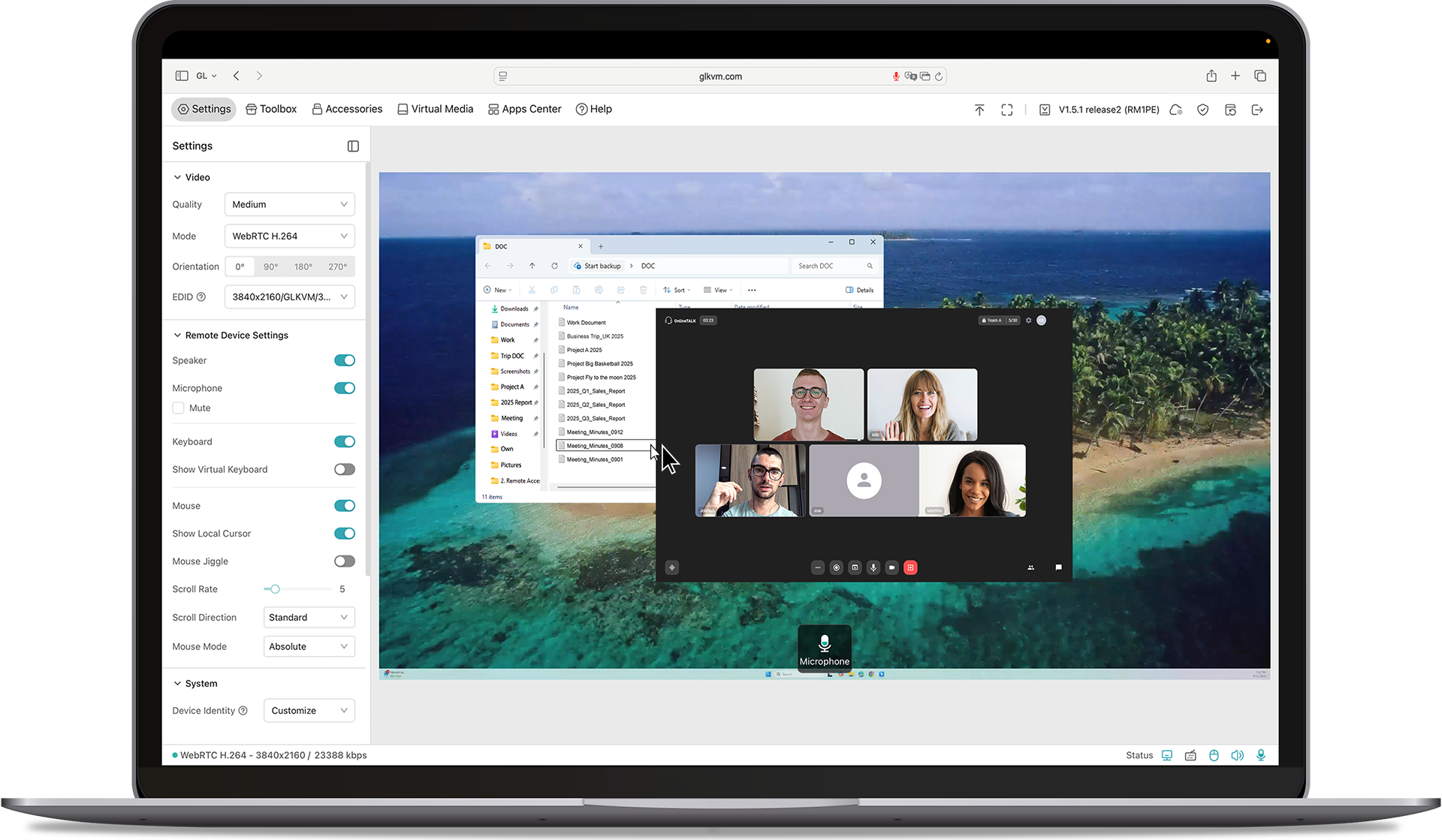
Remote KVM (Keyboard, Video, Mouse) is a device that\n lets you control a computer or server from anywhere, as if you were sitting right in front\n of it. Imagine you're traveling,\n but you need to access and fix a computer at your office. With a Remote\n KVM, you can see the screen, use the keyboard, and move the mouse just like you were\n physically there.

\n

It's commonly used by IT professionals, businesses, and data centers to troubleshoot, manage, and maintain computers remotely without\n needing to be on-site.

\n \n
\n
\n
\n
\n
\n\"Applications\n
\n
\n
\n
\n
\n
\n
\n

Why Choose Comet?

\n
\n
\n

\n
\n
\n

One-time purchase - No subscription fees, ever\n

\n
\n
\n
\n
\n

\n
\n
\n

4K@30FPS video with H.264 hardware encoding for smooth performance

\n
\n
\n
\n
\n

\n
\n
\n

Remote file transfer - Even for offline\n devices

\n
\n
\n
\n
\n

\n
\n
\n

Ultra-low latency (30ms-60ms) for real-time\n remote control

\n
\n
\n
\n
\n

\n
\n
\n

USB-Device port for power control accessories\n or USB drives

\n
\n
\n
\n
\n

\n
\n
\n

Gigabit Ethernet for high-speed, stable\n connections

\n
\n
\n
\n
\n

\n
\n
\n

Type-C power supply for hassle-free setup

\n
\n
\n
\n
\n

\n
\n
\n

Remote Audio Output for immersive and complete\n remote control

\n
\n
\n
\n
\n

\n
\n
\n

Option to Self-host - Remotely manage on your\n own servers

\n
\n
\n \n
\n
\n\n
\"Amazon
\n \n
\n
    \n
  1. \n
  2. \n
  3. \n
  4. \n
  5. \n
  6. \n
  7. \n
  8. \n
  9. \n
  10. \n
\n
\n
\n \n \n \"Comet\n
\n
\n \n \n \"Comet\n
\n
\n \n \n \"Comet\n
\n
\n \n \n \"Comet\n
\n
\n \n \n \"Comet\n
\n
\n \n Previous\n \n Next\n
\n
\n
\n
\n
\n
\n\n\n
\n
\n
\n
\n
\n

Remote KVM over Internet

\n
\n
\n
\n
\n

8GB eMMC Storage

\n
\n
\n
\n
\n

Two-way Audio

\n
\n
\n
\n
\n
\n \n

Browser-Based Access

\n
\n
\n
\n
\n

4K@30FPS Video

\n
\n
\n
\n
\n
\n \n

Tailscale Support

\n
\n
\n
\n
\n
\n
\n \n

BIOS Access

\n
\n
\n
\n
\n
\n
\n \n

Self-Hosted Option

\n
\n
\n
\n
\n
\n
\n\n
\n
\n \n
\n
\n
\n
\n
\n \"Home\n
\n
\n
\n
\n \"Laptop\n
\n
\n
\n
\n\n
\n
\n
\n
\n \"Work\n
\n
\n
\n
\n \"Remote\n
\n
\n
\n
\n\n
\n
\n
\n
\n \"Home\n
\n
\n
\n
\n \"Remote\n
\n
\n\n
\n
\n
\n\n \n
\n \n
\n\n \n
\n
\n
\n
\n

\n Work Smarter from Home\n

\n

\n Struggling with IT restrictions on your company laptop? Traditional KVM switches can be\n slow and disruptive, but Comet offers a smarter solution.\n

\n

\n It allows remote workers to effortlessly switch between devices without pressing manual\n buttons or adding extra peripherals-no additional monitors, keyboards, or mouses needed.\n Keep your workspace clean, efficient, and fully optimized for productivity.\n

\n
\n
\n
\n\n
\n
\n
\n

\n Effortless Home Server & Network Management\n

\n

\n For tech enthusiasts and DIY hobbyists, managing home servers shouldn't be a hassle.\n Comet gives you direct hardware access from anywhere.\n

\n

\n No more crawling into basements or closets just to troubleshoot-stay in control of your\n Raspberry Pi, home server, or network devices right from your desk. Save time, reduce\n clutter, and streamline your setup with Comet.\n

\n
\n
\n
\n\n
\n
\n
\n

\n Secure Remote Access While Traveling\n

\n

\n Comet provides a seamless way to access your home PC securely from anywhere-without\n relying on VPNs or dealing with ISP port forwarding restrictions.\n

\n

\n Whether you need to maintain a home IP for work compliance or ensure uninterrupted\n access to your files, Comet keeps you connected with a plug-and-play wired setup. Travel\n freely while staying securely linked to your home network.\n

\n
\n
\n
\n
\n
\n
\n\n
\n
\n
\n
\n
\n

Browser-Based Remote Access

\n

Access your systems directly through a web browser with built-in cloud service. No app\n installation, no complex VPNs-just log in and take control.

\n
\n
\n
\n
\n
\n\"\"\n
\n
\n
\n \"4K\n
\n

4K Video & Two-Way Audio

\n

Enjoy ultra-clear remote sessions with up to 4K@30FPS output, complete with\n two-way audio for calls, troubleshooting, or live collaboration.

\n
\n
\n
\n \"Mouse\n
\n

Mouse Controls

\n

Relative Mouse Mode keeps local and remote cursors aligned on\n high-resolution screens, while Mouse Jiggle prevents sleep mode during long tasks.

\n
\n
\n
\n
\n
\n
\n

Self-Hosted Lightweight Cloud Option

\n

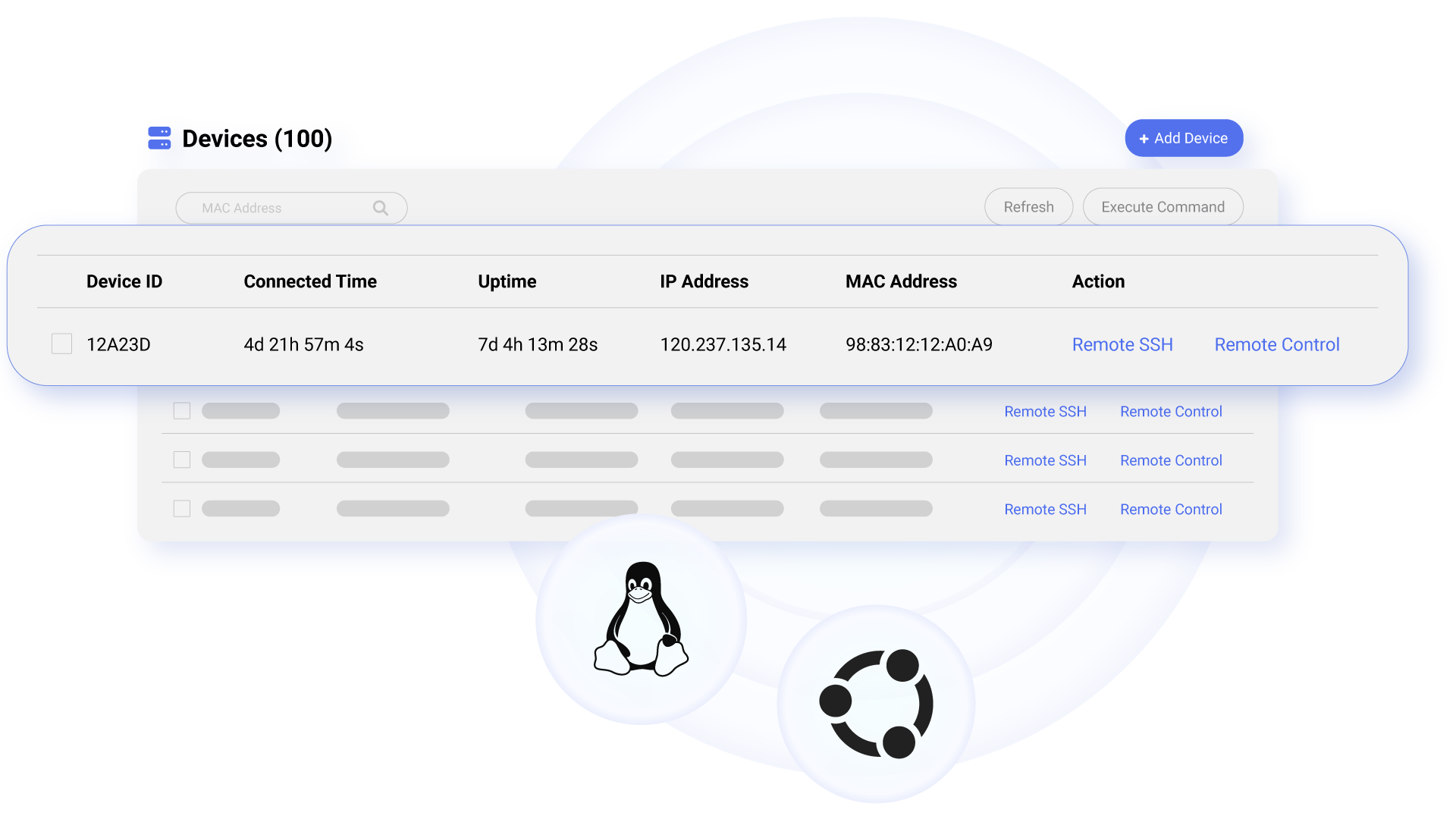
Comet supports self-hosted deployment on mainstream operating systems such\n as Linux and Ubuntu, giving you full control over your remote access environment.

Get\n started with 2 cores and 2GB RAM cloud server, then deploy in one click-no complex setup\n required. No personal information is collected by GL.iNet, ensuring a private\n experience.

Available on firmware version 1.5 and\n above.

\n
\n
\n\"Remote\n
\n
\n
\n
\n\n
\n
\n
\n
\n
\n

Restart Devices Remotely, and Effortlessly

\n

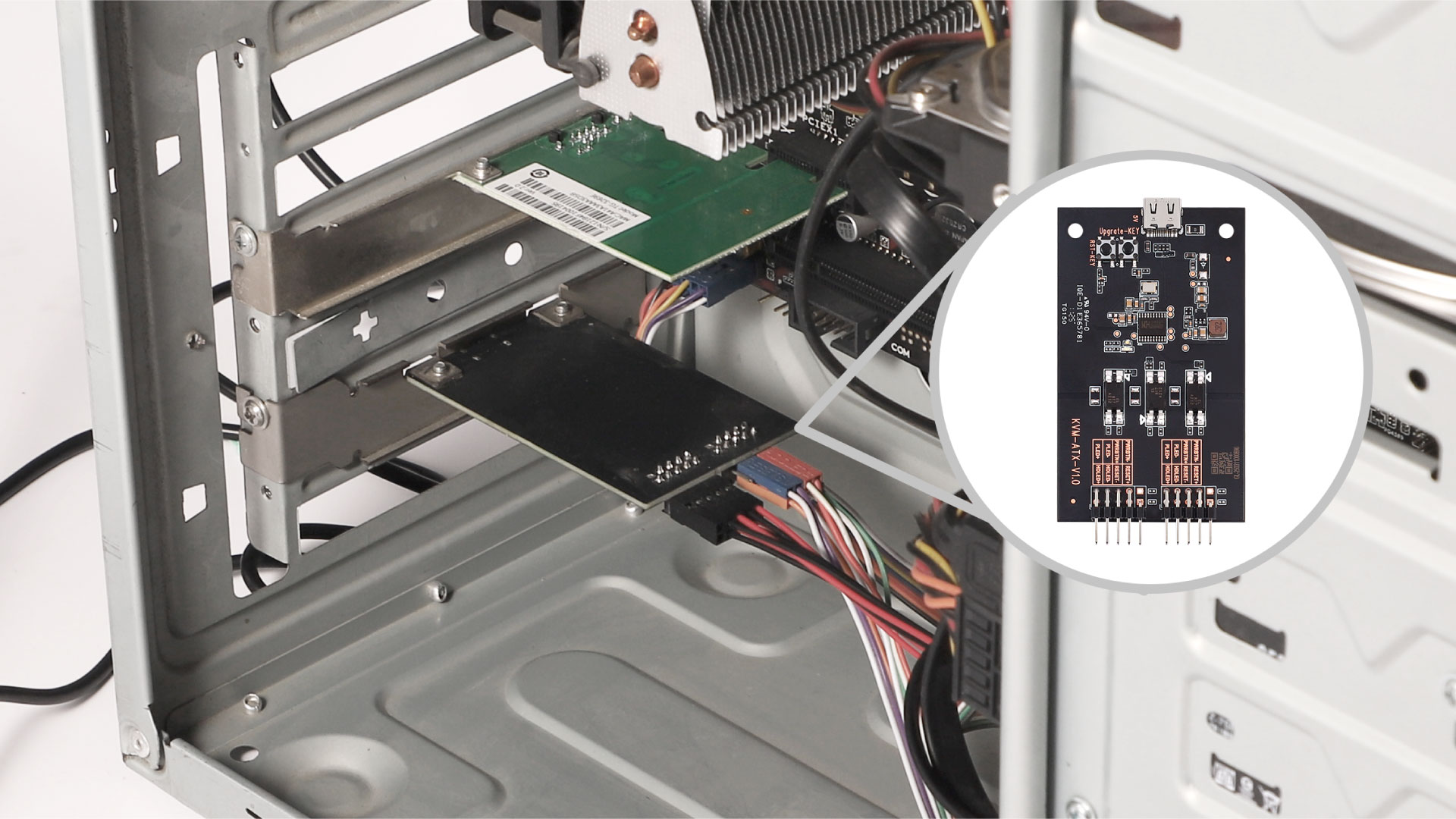
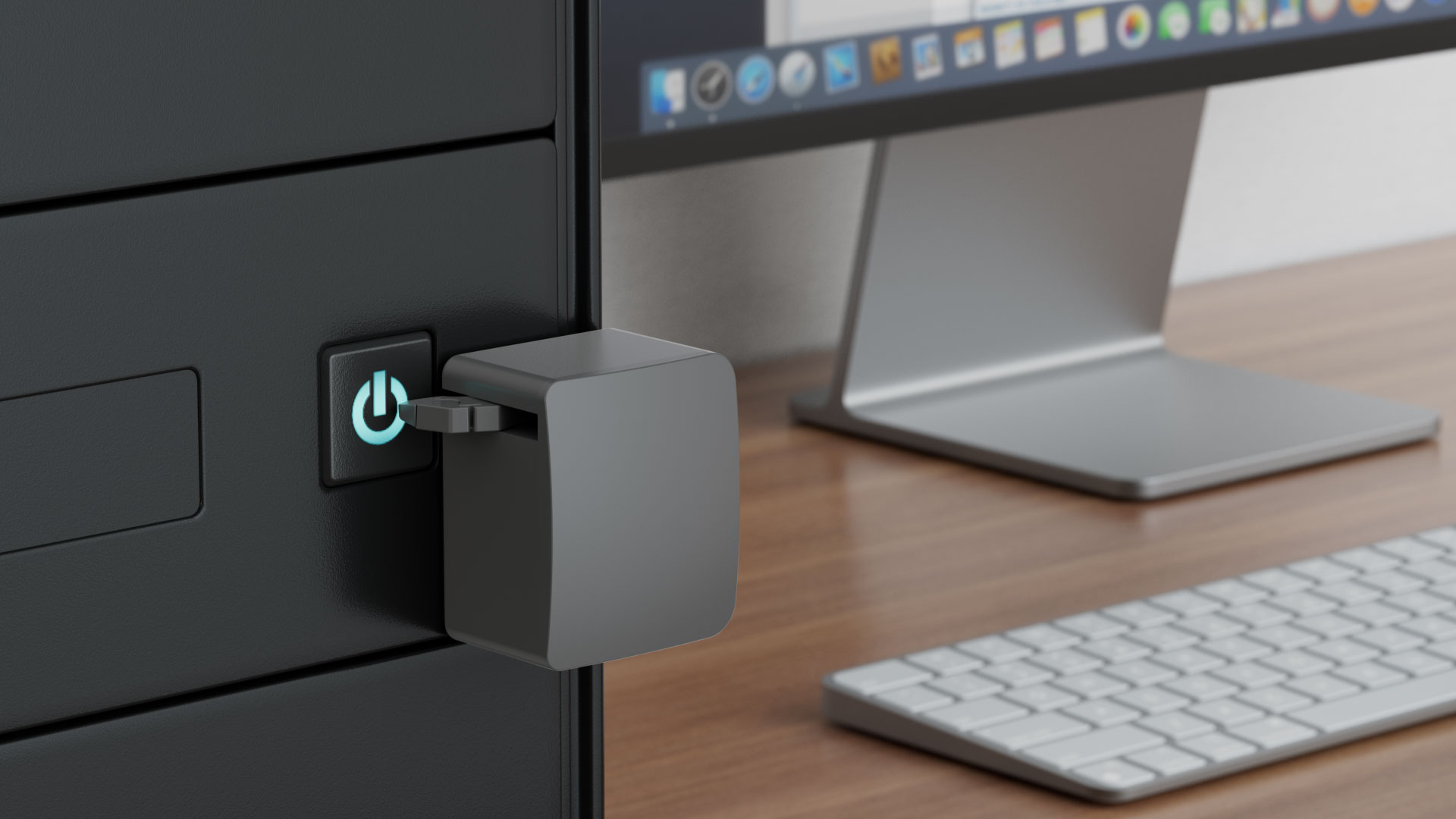
Comet enables remote power management by connecting to extension devices such as ATX Boards\n and Fingerbot, allowing users to power on/off,\n or restart any device-even those without internet connectivity-from anywhere. By eliminating\n the need for physical access, Comet reduces downtime,\n ensures seamless operation, and enhances efficiency, reliability, and cost-effectiveness.\n

\n
\n
\n
\n
\n \n
\n\n\n\n \n
\n
\n
\n
\n
\n

The Story behind Comet

\n

\n When our engineer lost remote access during a critical business trip, they knew there had to\n be a better way. That's why we created Comet (GL-RM1)—an affordable,\n plug-and-play remote KVM that works without public IPs, recovers from power outages, and\n gives you reliable control anytime, anywhere.\n

\n
\n\n \n
\n\n
\n \"\"\n
\n
\n
\n
\n\n
\n
\n
\n

Product Reviews

\n
\n
\n\n
\n
\n\n \n\n \n\n \n\n \n\n \n\n \n\n \n\n
\n
\n\n
\n \n \n \n \n \n \n
\n
\n\n
\n
\n
\n
\n

Enabling MSPs to Achieve Efficient and Cost-Effective Remote IT\n Maintenance

\n

Discover how Remote KVM over Internet solutions empower enterprises with secure,\n efficient, cost-effective IT maintenance.

\n \n
\n
\n\"Comet\n
\n
\n
\n
\n

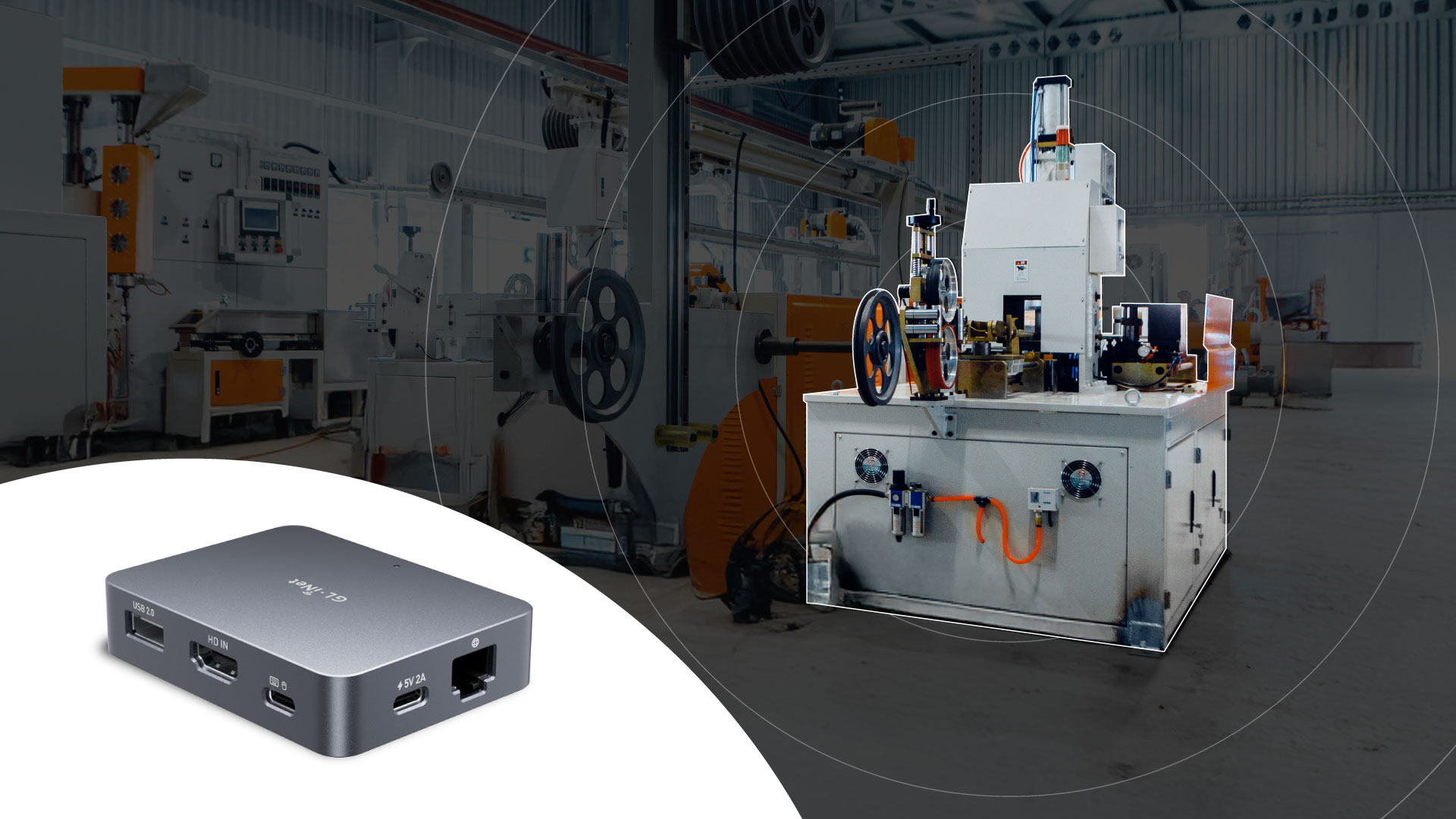
Threat Monitoring & Response for Industrial Equipments

\n

Discover how GL.iNet KVM enhances industrial control efficiency, ensuring safety\n & cutting costs with real-time monitoring.

\n \n
\n
\n\"Threat\n
\n
\n
\n
\n\n
\n \n
\n
\n
\n

How Comet Stacks Up Against Other KVMs

\n
\n\n
\n
\n
\n
\n
\n
Comet (GL-RM1)
\n

KVM over Internet

\n \"Comet\n \n
\n
\n
ABCKVM
\n

KVM over IP Solution

\n \"\"\n
\n
\n\n
\n
\n

Latency

\n
\n
\n

30-60ms

\n
\n
\n

>100ms

\n
\n
\n\n
\n
\n

Ethernet Speed

\n
\n
\n

1 Gbps

\n
\n
\n

1 Gbps

\n
\n
\n\n
\n
\n

Resolution

\n
\n
\n

3840x2160@30FPS

\n
\n
\n

1920x1200@60FPS

\n
\n
\n\n
\n
\n

Size

\n
\n
\n

80 x 60 x 17.5mm

\n
\n
\n

120 x 68 x 24mm

\n
\n
\n\n
\n
\n

BIOS-Level Access

\n
\n
\n

\n
\n
\n

\n
\n
\n\n
\n
\n

macOS/Windows Application Support

\n
\n
\n

\n
\n
\n

\n
\n
\n\n
\n
\n

Remote Audio Output

\n
\n
\n

\n
\n
\n

\n
\n
\n\n
\n
\n

Remote File Transfer

\n
\n
\n

\n
\n
\n

\n
\n
\n\n
\n
\n

Lifetime Remote Access

\n
\n
\n

\n
\n
\n

\n
\n
\n\n
\n
\n

Remote System Installation

\n
\n
\n

\n
\n
\n

\n
\n
\n\n
\n
\n

CNC Metal Case

\n
\n
\n

\n
\n
\n

\n
\n
\n\n
\n
\n
\n\n
\n
\n
\n
\n \n \n \n \"4K@30FPS\n
4K@30FPS
Video Resolution
\n
\n\n
\n \n \n \n \"H.264\n
H.264 hardware encoding
with 30-60ms latency
\n
\n\n
\n \n \n \n \"One-Time-Purchase\"\n
One Time Purchase
\n
\n\n
\n \n \n \n \"BIOS\n
BIOS Access
\n
\n\n
\n \n \n \n \"USB\n
USB 2.0
External Extension
\n
\n\n
\n \n \n \n \"Audio\n
Remote
Audio Output
\n
\n\n
\n \n \n \n \"Desktop\n
Desktop
Application Support
\n
\n\n
\n \n \n \n \"Gigabit\n
Gigabit
Ethernet
\n
\n
\n
\n
\n\n \n
\n

Specifications

\n \n \n \n \n \n \n \n \n \n \n \n \n \n \n \n \n \n \n \n \n \n \n \n \n \n \n \n \n \n \n \n \n \n \n \n \n \n
Interface\n 1 x Ethernet port
\n 1 x USB 2.0 port
\n 1 x HDMI-IN port
\n 1 x Type-C power port
\n 1 x Reset button\n
CPUQuad-core ARM Cortex-A7
Memory / StorageDDR3 1GB / 8GB eMMC
Ethernet Speed10/100/1000Mbps
Resolution4K@30fps
Power InputType-C, 5V/2A
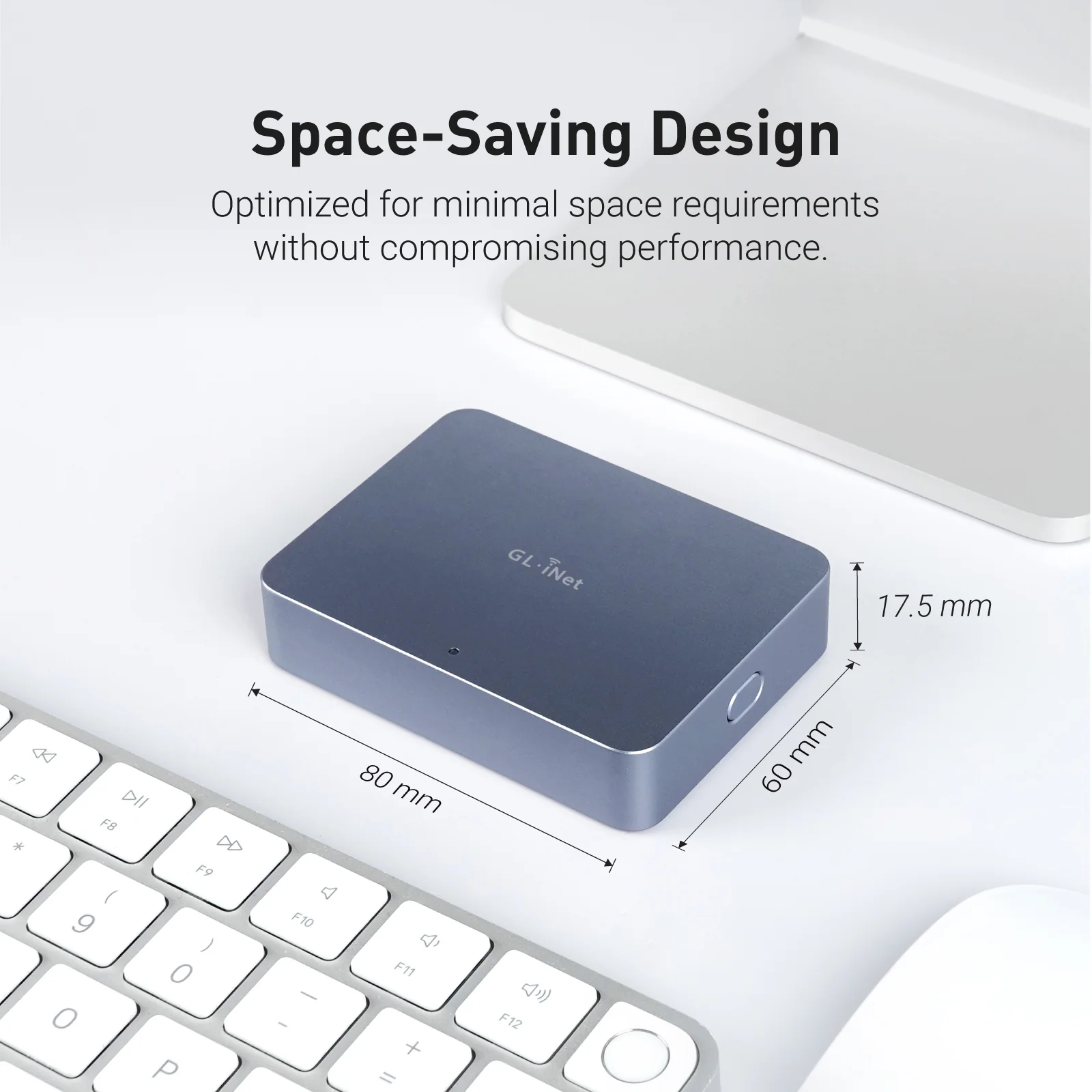
Dimension80 x 60 x 17.5mm / 85g
Tools & Downloadables\n \n Datasheet\n |\n App\n |\n Product Teaser\n |\n Tutorials\n |\n Firmware\n |\n GitHub\n |\n Media Kit\n
Policy & Agreement\n Privacy Policy\n |\n User Service Agreement\n
\n
\n\n
\n \n\n \n \n
","image":["https://img.shopglinet.shop/images/product/comet-gl-rm1-remote-keyboard-video-mouse-1.jpg","https://img.shopglinet.shop/images/product/comet-gl-rm1-remote-keyboard-video-mouse-2.jpg","https://img.shopglinet.shop/images/product/comet-gl-rm1-remote-keyboard-video-mouse-3.jpg","https://img.shopglinet.shop/images/product/comet-gl-rm1-remote-keyboard-video-mouse-4.jpg","https://img.shopglinet.shop/images/product/comet-gl-rm1-remote-keyboard-video-mouse-5.jpg","https://img.shopglinet.shop/images/product/comet-gl-rm1-remote-keyboard-video-mouse-6.jpg","https://img.shopglinet.shop/images/product/comet-gl-rm1-remote-keyboard-video-mouse-7.jpg","https://img.shopglinet.shop/images/product/comet-gl-rm1-remote-keyboard-video-mouse-8.jpg","https://img.shopglinet.shop/images/product/comet-gl-rm1-remote-keyboard-video-mouse-9.jpg","https://img.shopglinet.shop/images/product/comet-gl-rm1-remote-keyboard-video-mouse-10.jpg","https://img.shopglinet.shop/images/product/comet-gl-rm1-remote-keyboard-video-mouse-11.jpg","https://img.shopglinet.shop/images/product/comet-gl-rm1-remote-keyboard-video-mouse-12.jpg","https://img.shopglinet.shop/images/product/comet-gl-rm1-remote-keyboard-video-mouse-13.png","https://img.shopglinet.shop/images/product/comet-poe-gl-rm1pe-remote-kvm-control-over-internet-13.jpg","https://img.shopglinet.shop/images/product/comet-gl-rm1-remote-keyboard-video-mouse-15.jpg","https://img.shopglinet.shop/images/product/comet-poe-gl-rm1pe-remote-kvm-control-over-internet-12.jpg"],"sku":"comet-gl-rm1-remote-keyboard-video-mouse","brand":{"@type":"Brand","name":"GL.iNet EU"},"offers":{"@type":"AggregateOffer","lowPrice":37.91,"highPrice":37.91,"priceCurrency":"USD","availability":"https://schema.org/InStock","url":"https://shopglinet.shop/products/comet-gl-rm1-remote-keyboard-video-mouse","offerCount":1}}
Product image 1
Product image 2
Product image 3
Product image 4
Product image 5
Product image 6
Product image 7
Product image 8
Product image 9
Product image 10
Product image 11
Product image 12
Product image 13
Product image 14
Product image 15
Product image 16
HomeStore

Comet (GL-RM1) Remote Keyboard Video Mouse

Comet (GL-RM1) Remote Keyboard Video Mouse

MEET Comet

Remote KVM over Internet

What is Remote KVM?

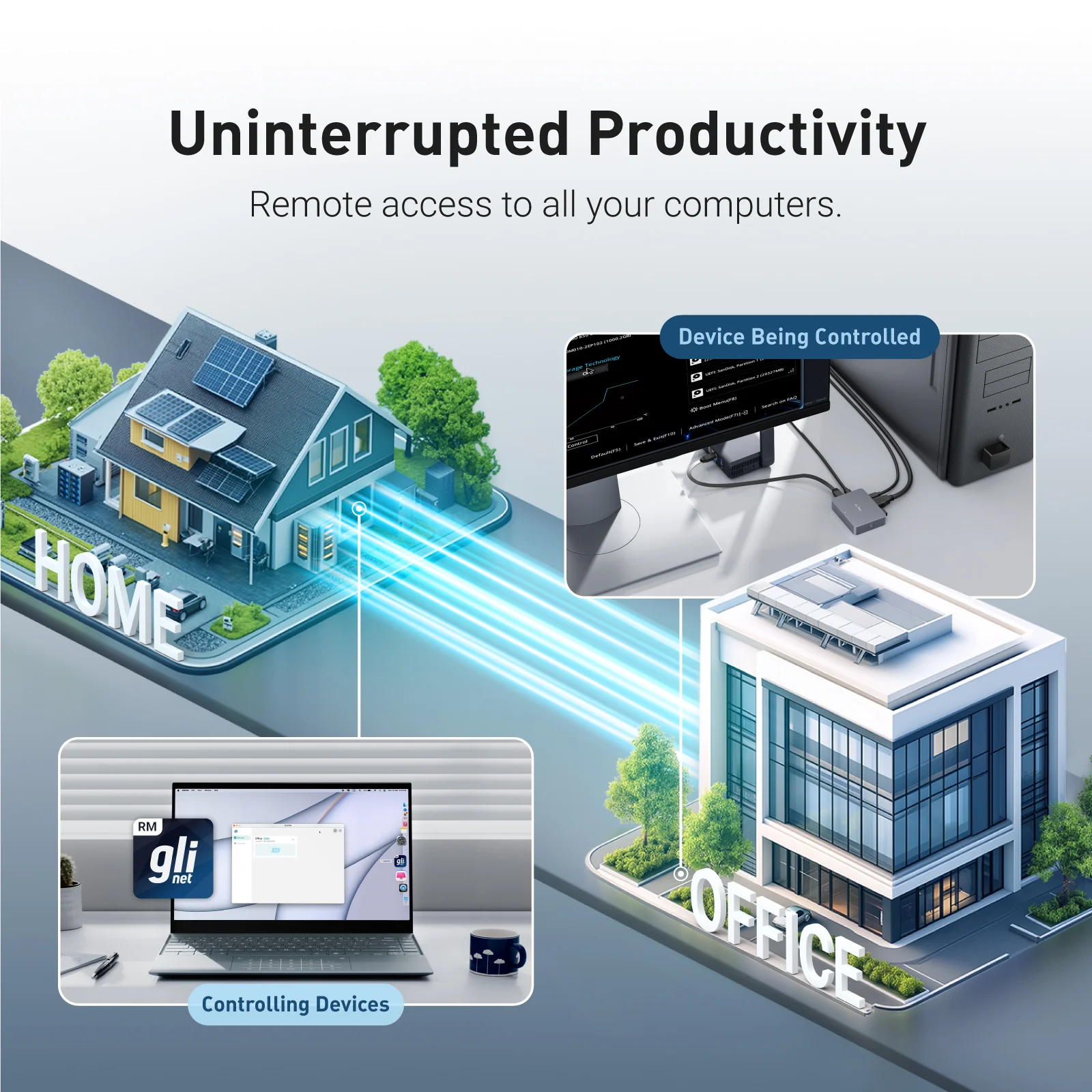
Remote KVM (Keyboard, Video, Mouse) is a device that lets you control a computer or server from anywhere, as if you were sitting right in front of it. Imagine you're traveling, but you need to access and fix a computer at your office. With a Remote KVM, you can see the screen, use the keyboard, and move the mouse just like you were physically there.

It's commonly used by IT professionals, businesses, and data centers to troubleshoot, manage, and maintain computers remotely without needing to be on-site.

Applications of Remote KVM for home and office use, remote controlling office computer at home using GLKVM application

Why Choose Comet?

One-time purchase - No subscription fees, ever

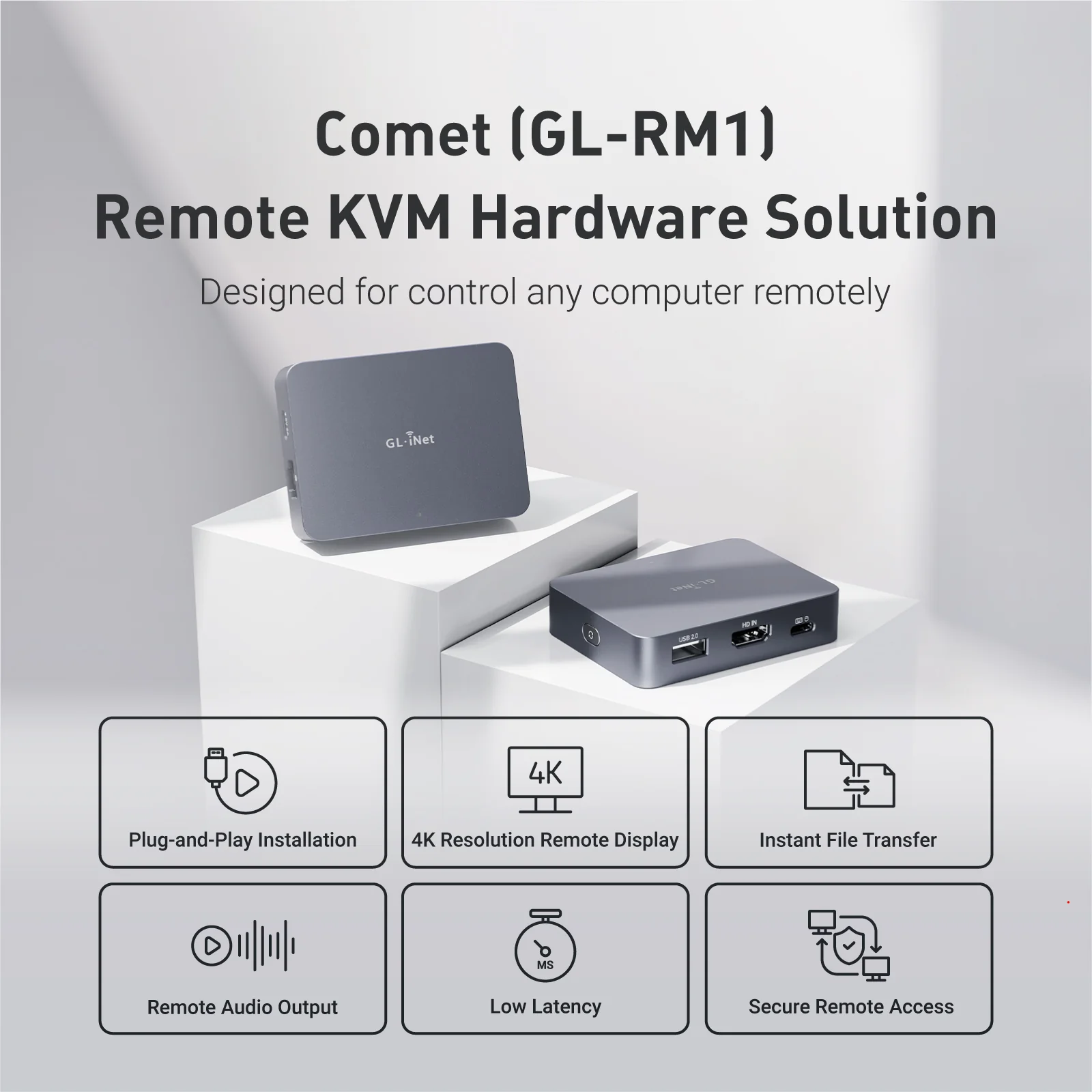
4K@30FPS video with H.264 hardware encoding for smooth performance

Remote file transfer - Even for offline devices

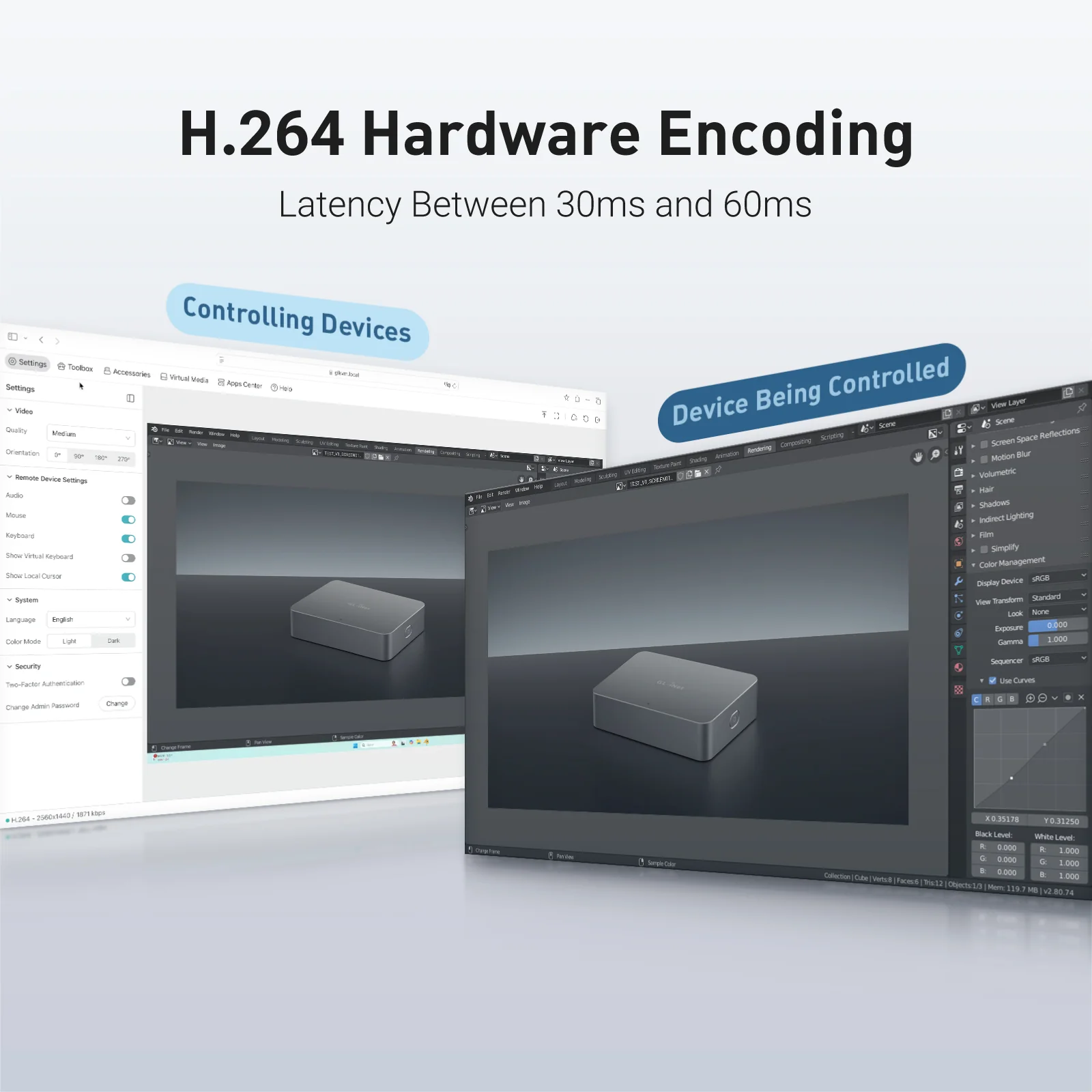
Ultra-low latency (30ms-60ms) for real-time remote control

USB-Device port for power control accessories or USB drives

Gigabit Ethernet for high-speed, stable connections

Type-C power supply for hassle-free setup

Remote Audio Output for immersive and complete remote control

Option to Self-host - Remotely manage on your own servers

Remote KVM over Internet

8GB eMMC Storage

Two-way Audio

Browser-Based Access

4K@30FPS Video

Tailscale Support

BIOS Access

Self-Hosted Option

Home computer with Comet, remote KVM, for remote work, running video editing software.
Laptop remotely accessing home computer via Comet KVM for seamless video editing.
Work computer connected to Comet KVM for remote access, displaying late-night coding session.
Remote developer using laptop to control work computer via Comet KVM switch.
Home office setup with Comet KVM switch, laptop, and router for secure remote work.
Remote laptop access with Comet KVM, showing consistent workflow between devices.

Work Smarter from Home

Struggling with IT restrictions on your company laptop? Traditional KVM switches can be slow and disruptive, but Comet offers a smarter solution.

It allows remote workers to effortlessly switch between devices without pressing manual buttons or adding extra peripherals-no additional monitors, keyboards, or mouses needed. Keep your workspace clean, efficient, and fully optimized for productivity.

Effortless Home Server & Network Management

For tech enthusiasts and DIY hobbyists, managing home servers shouldn't be a hassle. Comet gives you direct hardware access from anywhere.

No more crawling into basements or closets just to troubleshoot-stay in control of your Raspberry Pi, home server, or network devices right from your desk. Save time, reduce clutter, and streamline your setup with Comet.

Secure Remote Access While Traveling

Comet provides a seamless way to access your home PC securely from anywhere-without relying on VPNs or dealing with ISP port forwarding restrictions.

Whether you need to maintain a home IP for work compliance or ensure uninterrupted access to your files, Comet keeps you connected with a plug-and-play wired setup. Travel freely while staying securely linked to your home network.

Browser-Based Remote Access

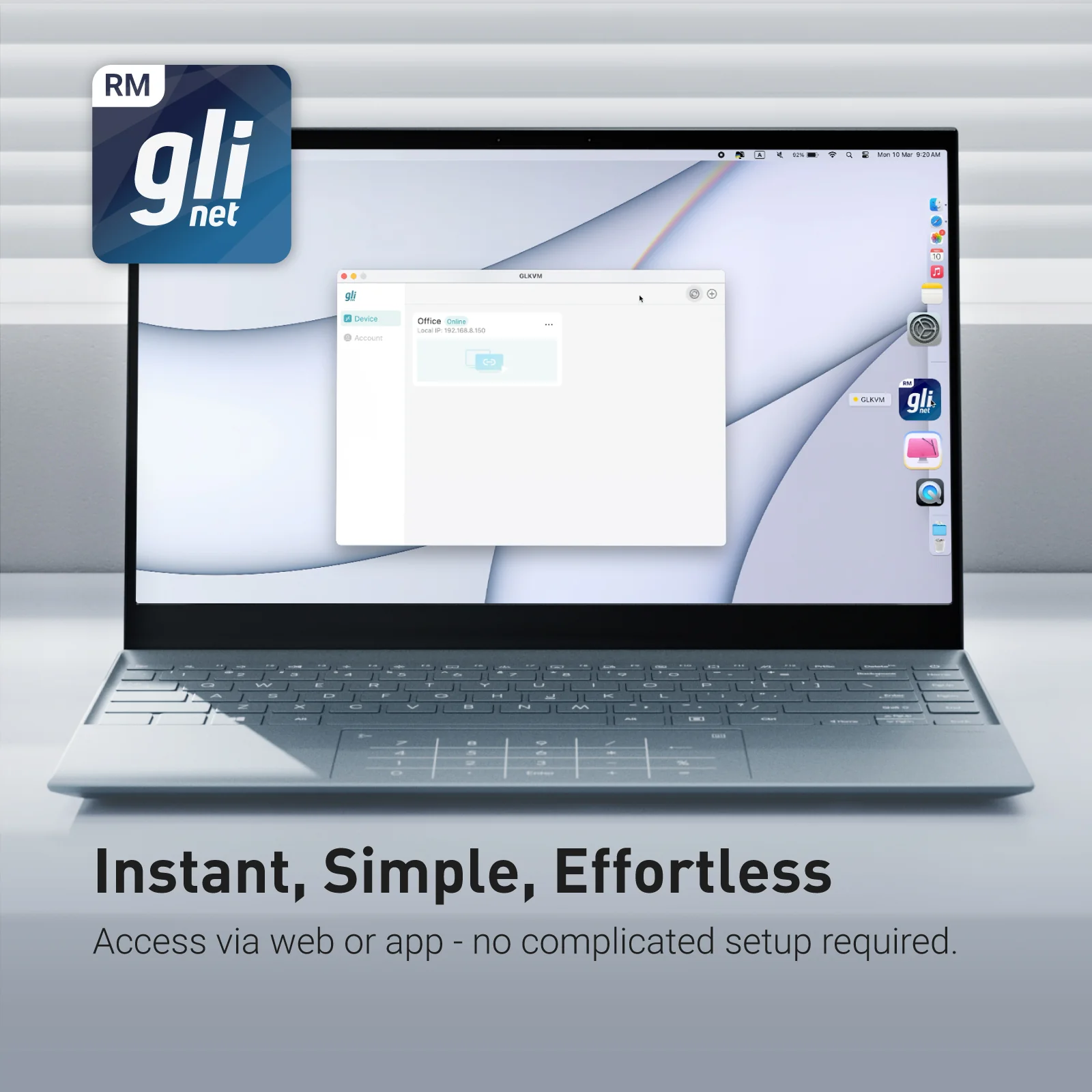
Access your systems directly through a web browser with built-in cloud service. No app installation, no complex VPNs-just log in and take control.

4K Video & Two-Way Audio

4K Video & Two-Way Audio

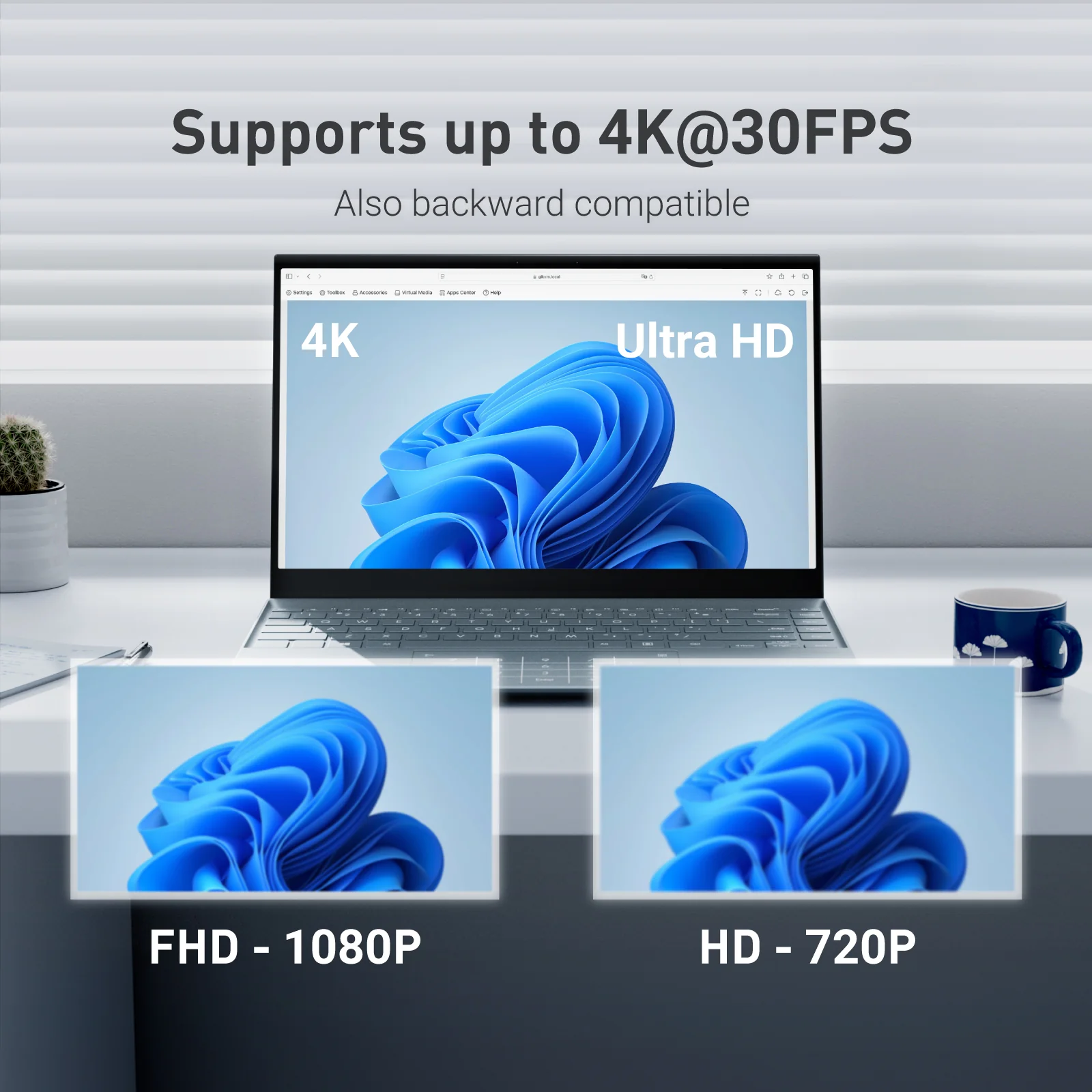
Enjoy ultra-clear remote sessions with up to 4K@30FPS output, complete with two-way audio for calls, troubleshooting, or live collaboration.

Mouse Controls

Mouse Controls

Relative Mouse Mode keeps local and remote cursors aligned on high-resolution screens, while Mouse Jiggle prevents sleep mode during long tasks.

Self-Hosted Lightweight Cloud Option

Comet supports self-hosted deployment on mainstream operating systems such as Linux and Ubuntu, giving you full control over your remote access environment.

Get started with 2 cores and 2GB RAM cloud server, then deploy in one click-no complex setup required. No personal information is collected by GL.iNet, ensuring a private experience.

Available on firmware version 1.5 and above.

Remote access Comet (GL-RM1) via any browser with self-host server for multi-device management

Restart Devices Remotely, and Effortlessly

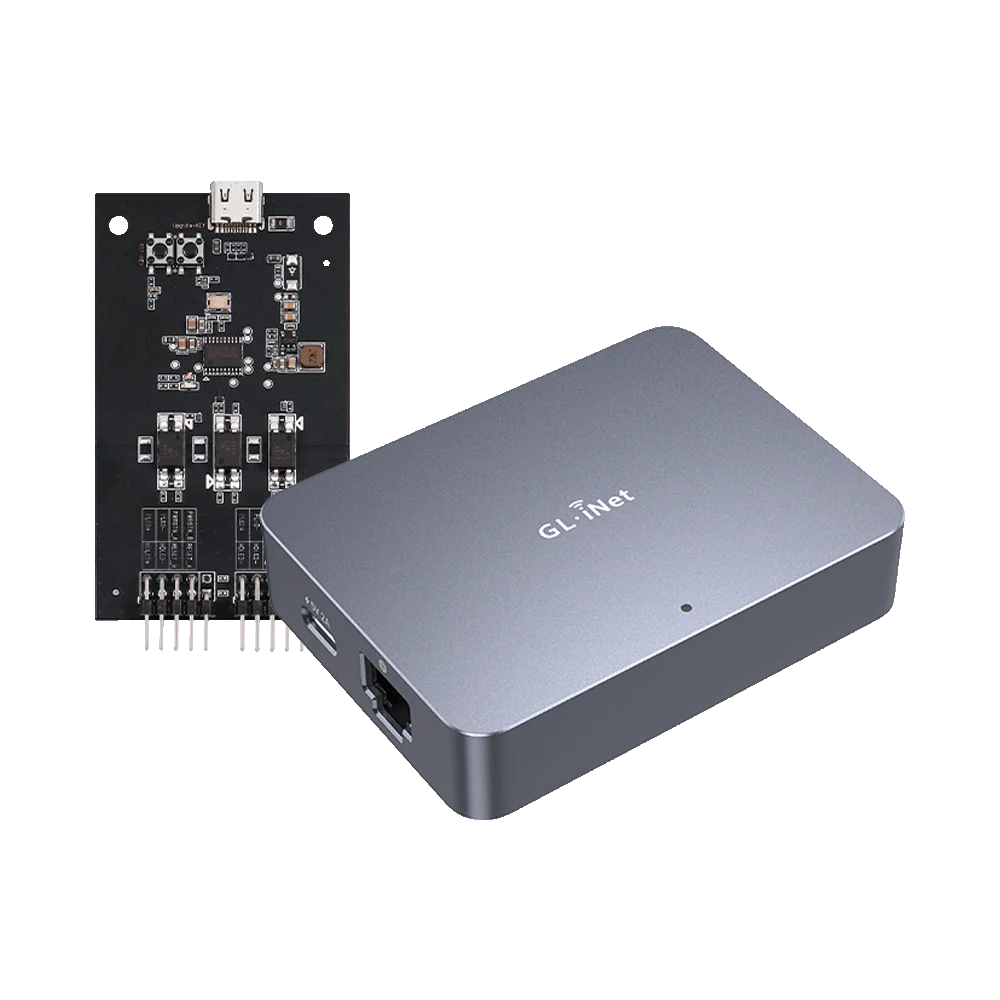
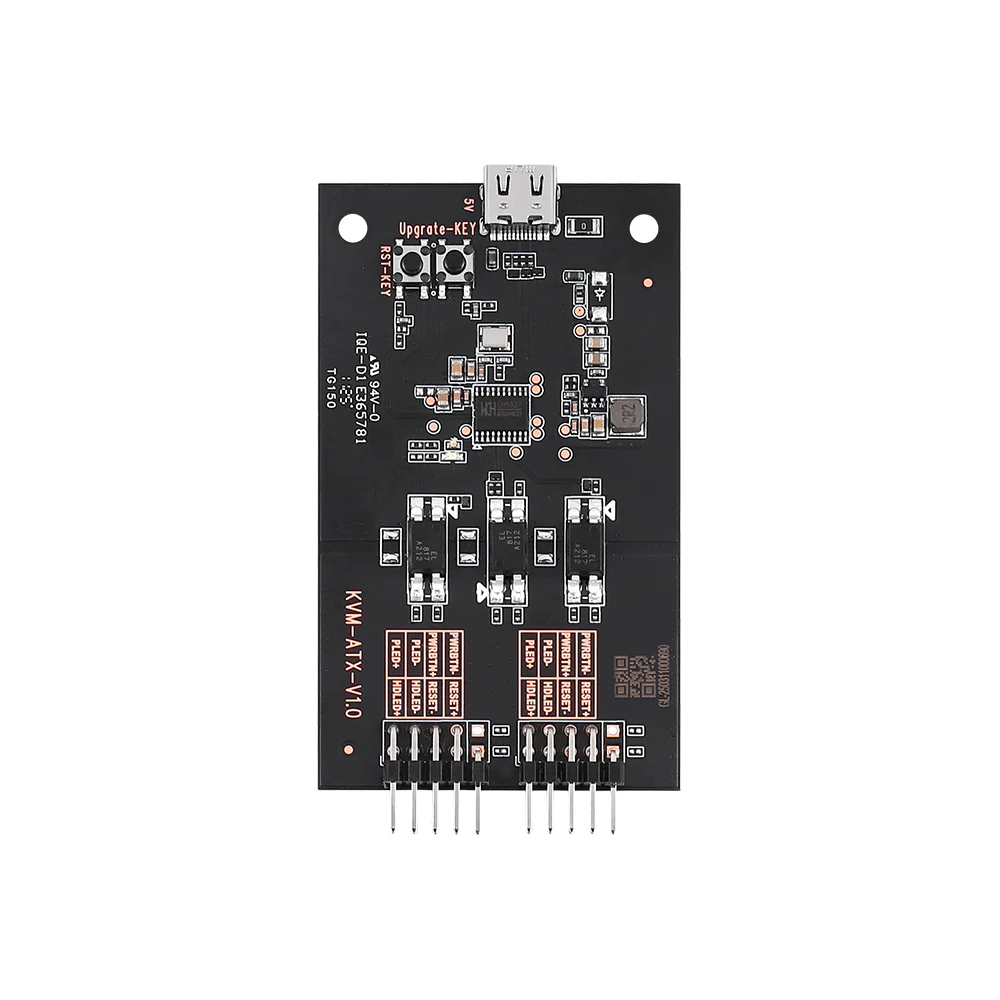
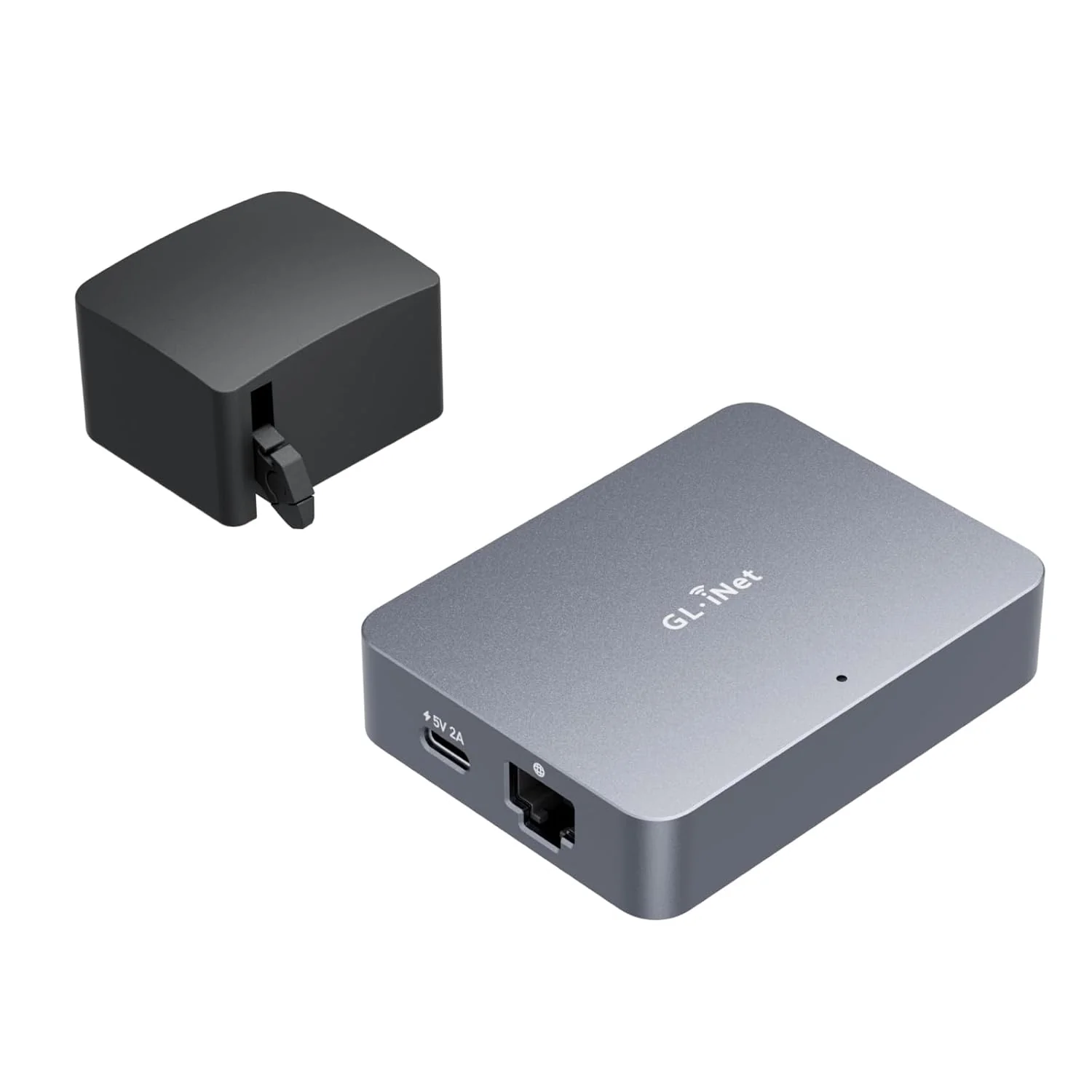
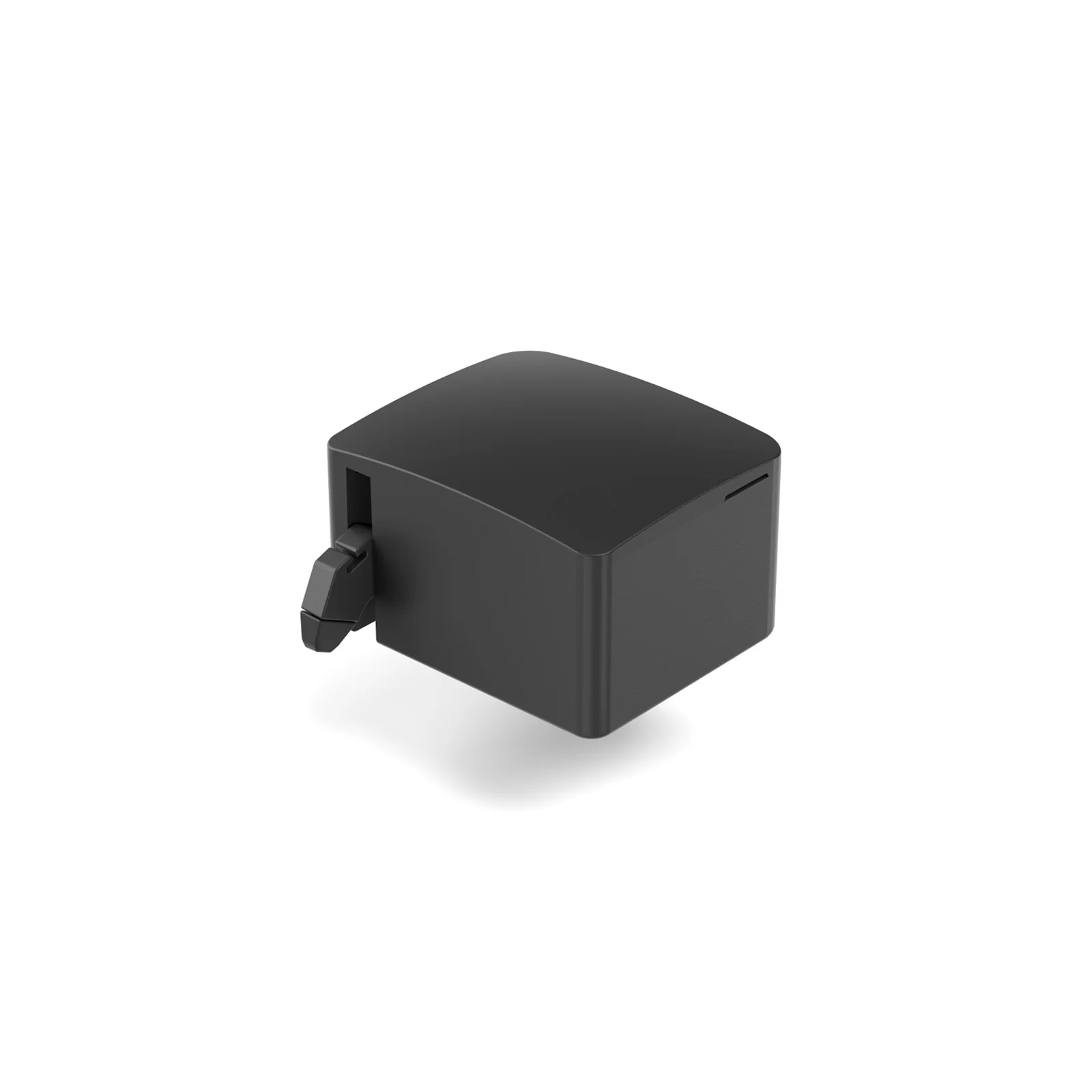
Comet enables remote power management by connecting to extension devices such as ATX Boards and Fingerbot, allowing users to power on/off, or restart any device-even those without internet connectivity-from anywhere. By eliminating the need for physical access, Comet reduces downtime, ensures seamless operation, and enhances efficiency, reliability, and cost-effectiveness.

The Story behind Comet

When our engineer lost remote access during a critical business trip, they knew there had to be a better way. That's why we created Comet (GL-RM1)—an affordable, plug-and-play remote KVM that works without public IPs, recovers from power outages, and gives you reliable control anytime, anywhere.

Product Reviews

Enabling MSPs to Achieve Efficient and Cost-Effective Remote IT Maintenance

Discover how Remote KVM over Internet solutions empower enterprises with secure, efficient, cost-effective IT maintenance.

Comet (GL-RM1) Remote KVM with 4K@30FPS vide resolution providng cost-effective remote IT maintenance solution

Threat Monitoring & Response for Industrial Equipments

Discover how GL.iNet KVM enhances industrial control efficiency, ensuring safety & cutting costs with real-time monitoring.

Threat monitoring and response for industrial equipments with Comet (GL-RM1) from GL.iNet

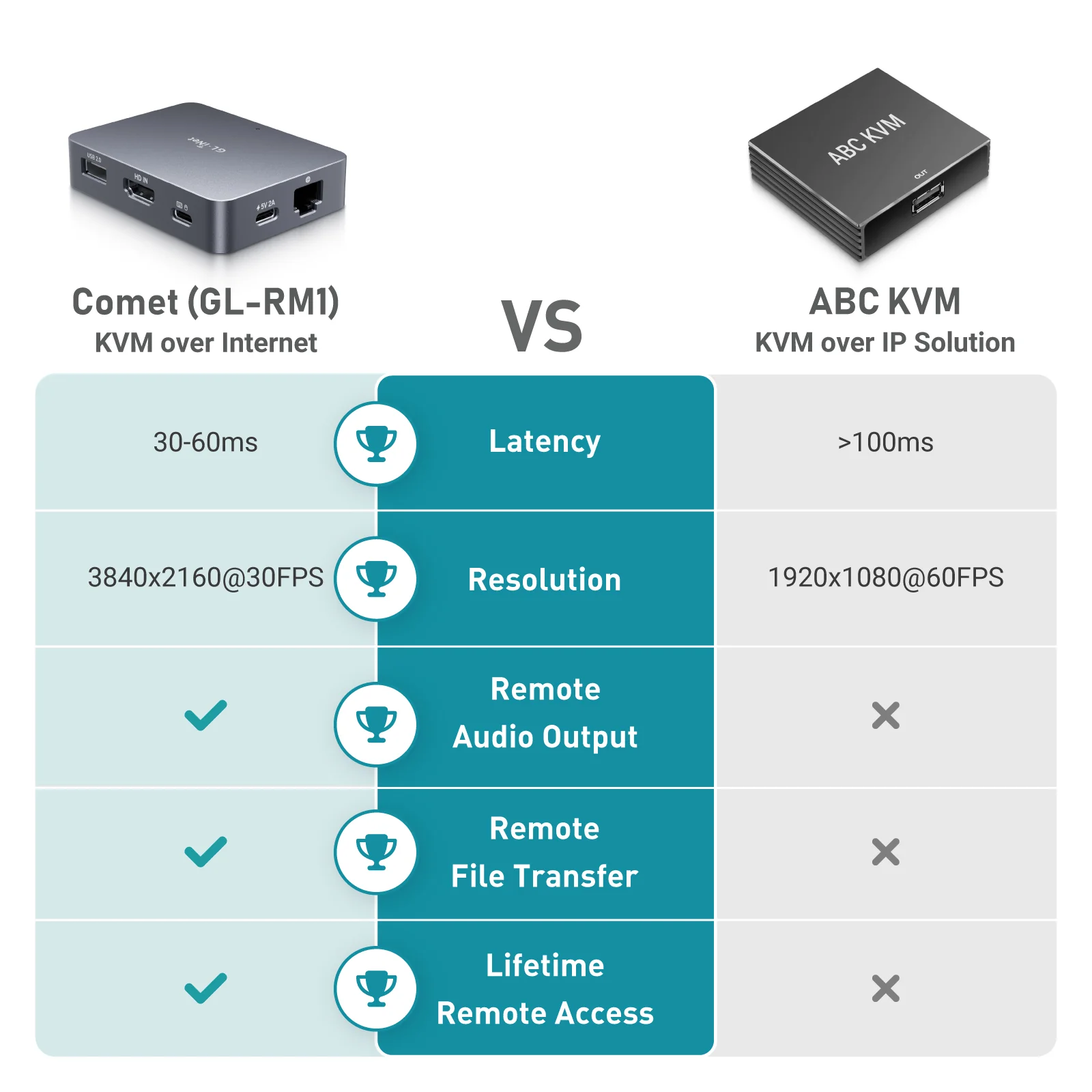
How Comet Stacks Up Against Other KVMs

Comet (GL-RM1)

KVM over Internet

Comet (GL-RM1)
ABCKVM

KVM over IP Solution

Latency

30-60ms

>100ms

Ethernet Speed

1 Gbps

1 Gbps

Resolution

3840x2160@30FPS

1920x1200@60FPS

Size

80 x 60 x 17.5mm

120 x 68 x 24mm

BIOS-Level Access

macOS/Windows Application Support

Remote Audio Output

Remote File Transfer

Lifetime Remote Access

Remote System Installation

CNC Metal Case

4K@30FPS Video Resolution
4K@30FPS
Video Resolution
H.264 hardware encoding with 30-60ms latency
H.264 hardware encoding
with 30-60ms latency
One-Time-Purchase
One Time Purchase
BIOS Access
BIOS Access
USB 2.0 External Extension
USB 2.0
External Extension
Audio Support
Remote
Audio Output
Desktop Application Support
Desktop
Application Support
Gigabit Ethernet
Gigabit
Ethernet

Specifications

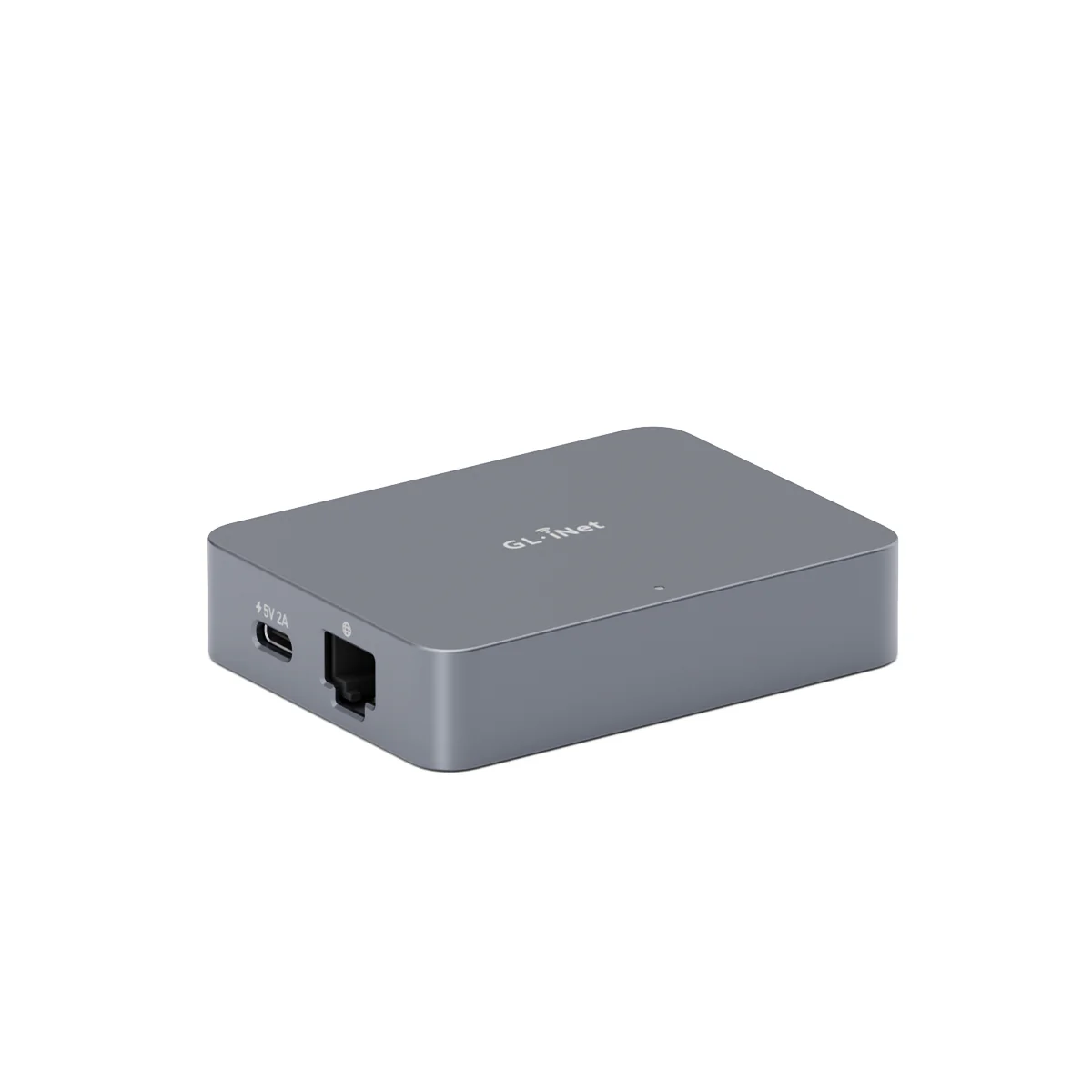
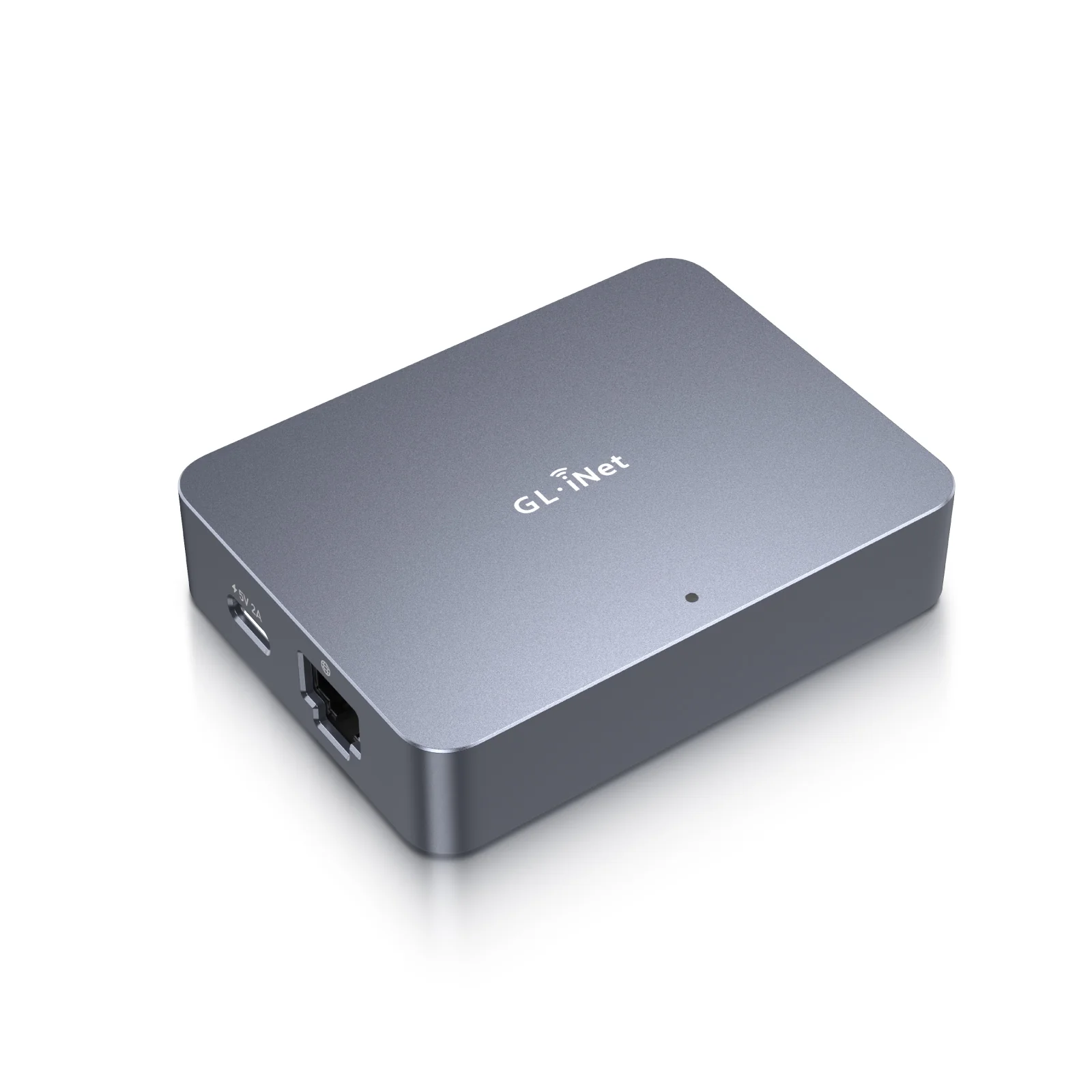
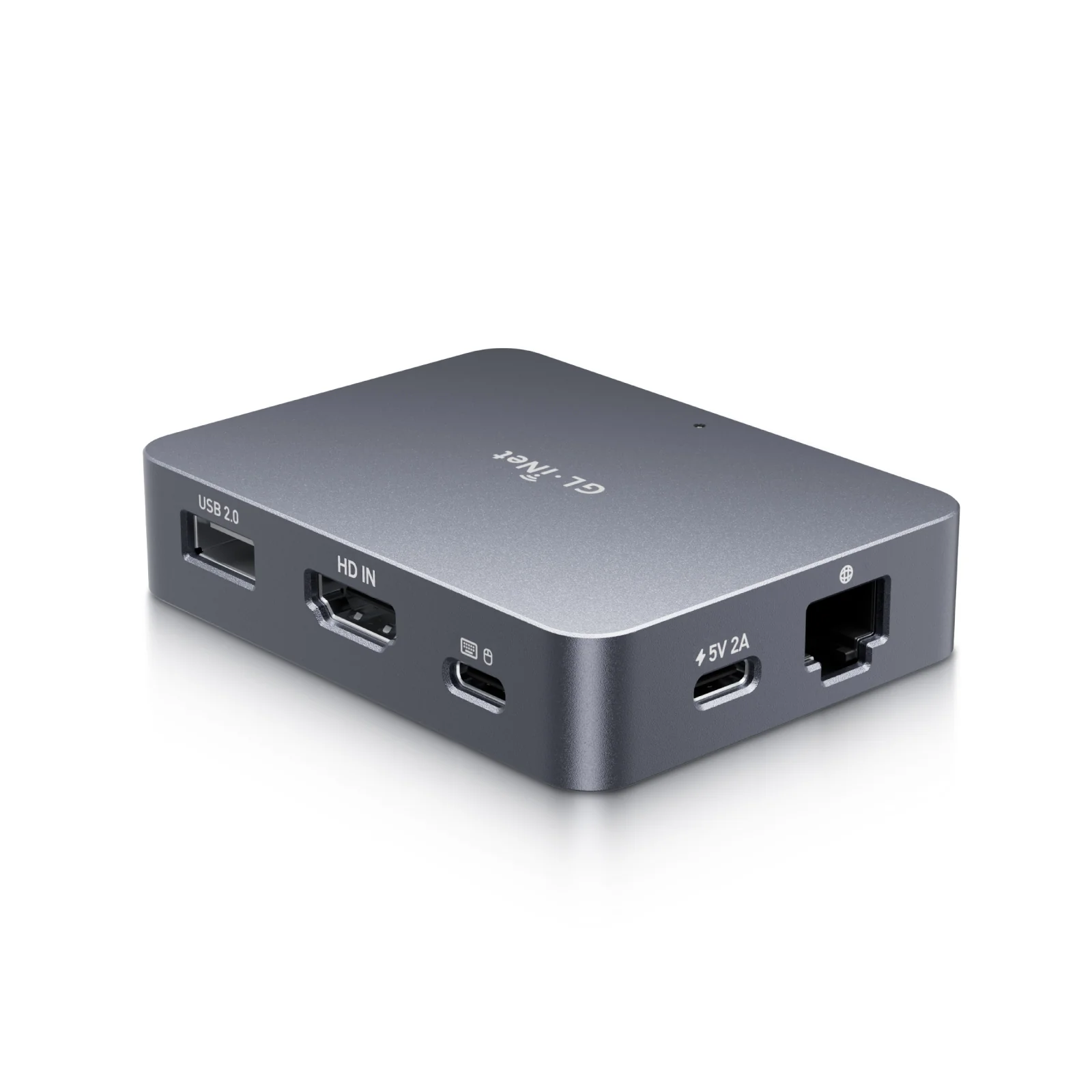
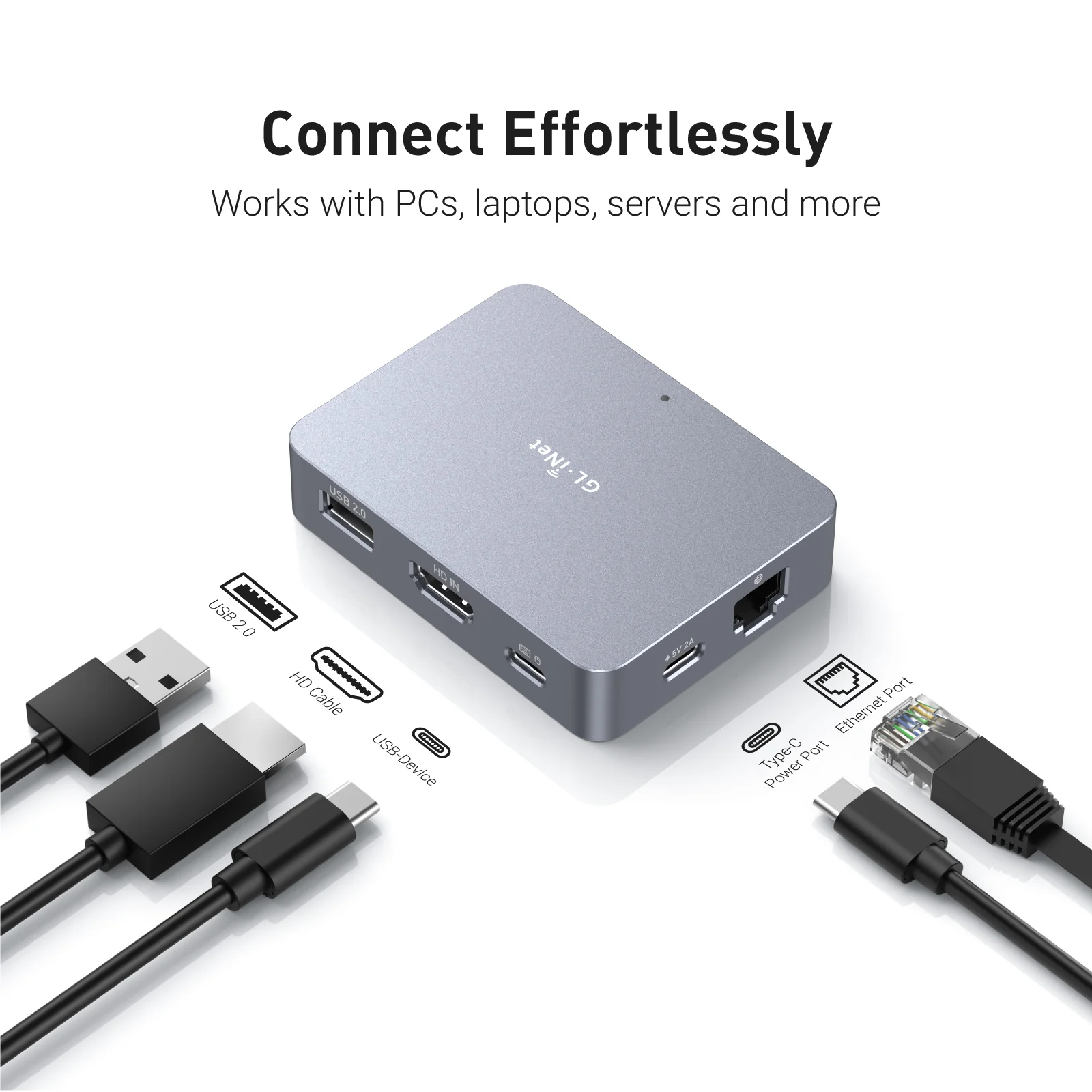
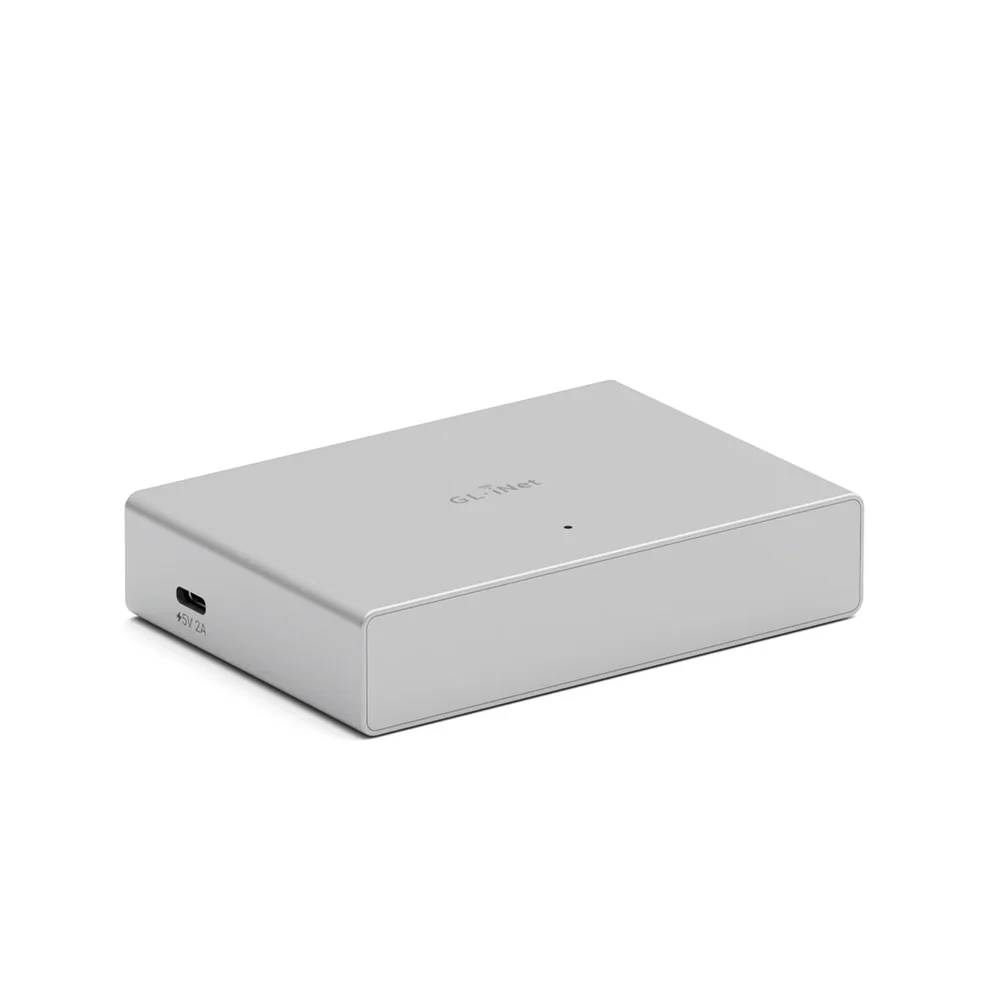
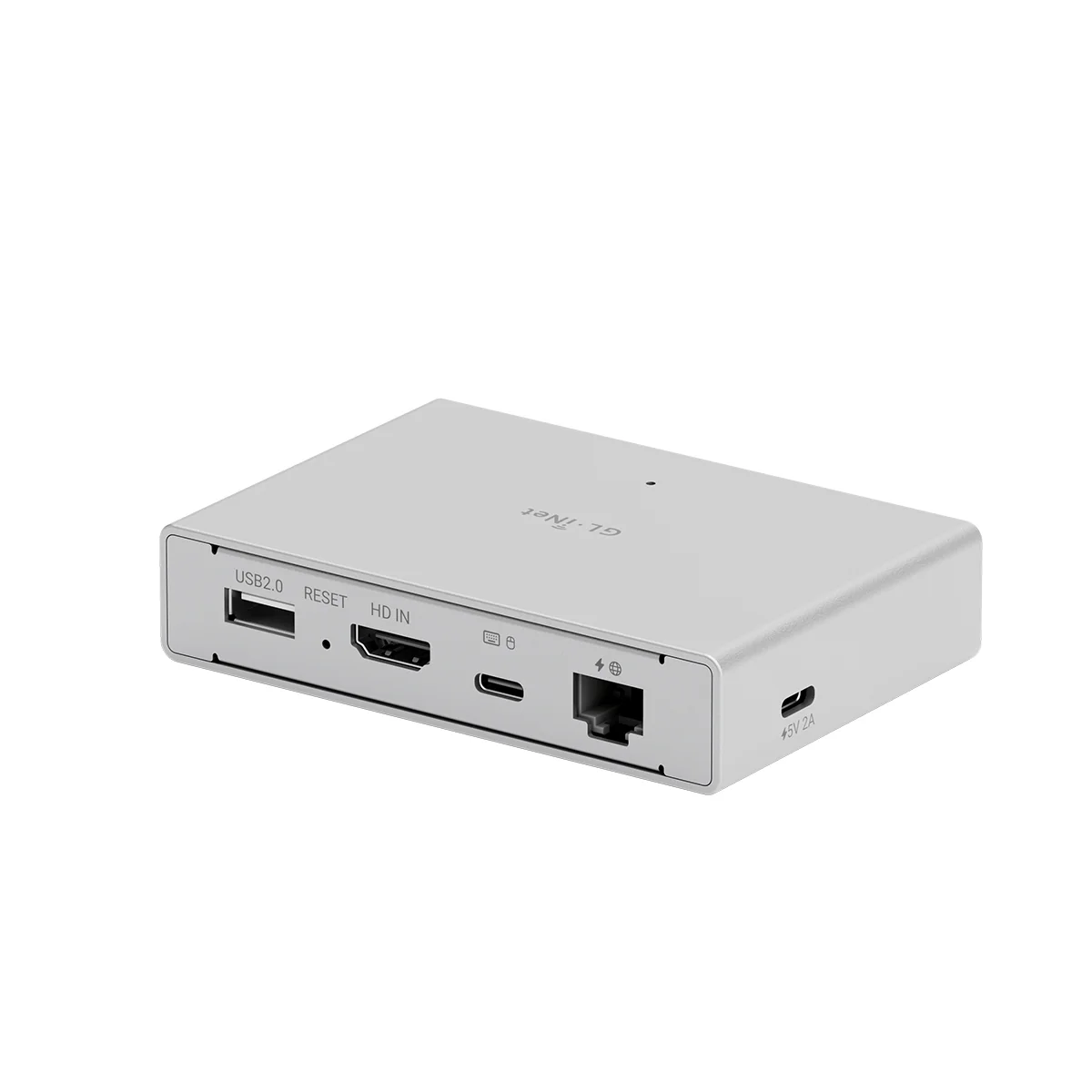
Interface 1 x Ethernet port
1 x USB 2.0 port
1 x HDMI-IN port
1 x Type-C power port
1 x Reset button
CPU Quad-core ARM Cortex-A7
Memory / Storage DDR3 1GB / 8GB eMMC
Ethernet Speed 10/100/1000Mbps
Resolution 4K@30fps
Power Input Type-C, 5V/2A
Dimension 80 x 60 x 17.5mm / 85g
Tools & Downloadables Datasheet | App | Product Teaser | Tutorials | Firmware | GitHub | Media Kit
Policy & Agreement Privacy Policy | User Service Agreement
$37.91

Original: $126.36

-70%
Comet (GL-RM1) Remote Keyboard Video Mouse

$126.36

$37.91

Product Information

Shipping & Returns

Description

MEET Comet

Remote KVM over Internet

What is Remote KVM?

Remote KVM (Keyboard, Video, Mouse) is a device that lets you control a computer or server from anywhere, as if you were sitting right in front of it. Imagine you're traveling, but you need to access and fix a computer at your office. With a Remote KVM, you can see the screen, use the keyboard, and move the mouse just like you were physically there.

It's commonly used by IT professionals, businesses, and data centers to troubleshoot, manage, and maintain computers remotely without needing to be on-site.

Applications of Remote KVM for home and office use, remote controlling office computer at home using GLKVM application

Why Choose Comet?

One-time purchase - No subscription fees, ever

4K@30FPS video with H.264 hardware encoding for smooth performance

Remote file transfer - Even for offline devices

Ultra-low latency (30ms-60ms) for real-time remote control

USB-Device port for power control accessories or USB drives

Gigabit Ethernet for high-speed, stable connections

Type-C power supply for hassle-free setup

Remote Audio Output for immersive and complete remote control

Option to Self-host - Remotely manage on your own servers

Remote KVM over Internet

8GB eMMC Storage

Two-way Audio

Browser-Based Access

4K@30FPS Video

Tailscale Support

BIOS Access

Self-Hosted Option

Home computer with Comet, remote KVM, for remote work, running video editing software.
Laptop remotely accessing home computer via Comet KVM for seamless video editing.
Work computer connected to Comet KVM for remote access, displaying late-night coding session.
Remote developer using laptop to control work computer via Comet KVM switch.
Home office setup with Comet KVM switch, laptop, and router for secure remote work.
Remote laptop access with Comet KVM, showing consistent workflow between devices.

Work Smarter from Home

Struggling with IT restrictions on your company laptop? Traditional KVM switches can be slow and disruptive, but Comet offers a smarter solution.

It allows remote workers to effortlessly switch between devices without pressing manual buttons or adding extra peripherals-no additional monitors, keyboards, or mouses needed. Keep your workspace clean, efficient, and fully optimized for productivity.

Effortless Home Server & Network Management

For tech enthusiasts and DIY hobbyists, managing home servers shouldn't be a hassle. Comet gives you direct hardware access from anywhere.

No more crawling into basements or closets just to troubleshoot-stay in control of your Raspberry Pi, home server, or network devices right from your desk. Save time, reduce clutter, and streamline your setup with Comet.

Secure Remote Access While Traveling

Comet provides a seamless way to access your home PC securely from anywhere-without relying on VPNs or dealing with ISP port forwarding restrictions.

Whether you need to maintain a home IP for work compliance or ensure uninterrupted access to your files, Comet keeps you connected with a plug-and-play wired setup. Travel freely while staying securely linked to your home network.

Browser-Based Remote Access

Access your systems directly through a web browser with built-in cloud service. No app installation, no complex VPNs-just log in and take control.

4K Video & Two-Way Audio

4K Video & Two-Way Audio

Enjoy ultra-clear remote sessions with up to 4K@30FPS output, complete with two-way audio for calls, troubleshooting, or live collaboration.

Mouse Controls

Mouse Controls

Relative Mouse Mode keeps local and remote cursors aligned on high-resolution screens, while Mouse Jiggle prevents sleep mode during long tasks.

Self-Hosted Lightweight Cloud Option

Comet supports self-hosted deployment on mainstream operating systems such as Linux and Ubuntu, giving you full control over your remote access environment.

Get started with 2 cores and 2GB RAM cloud server, then deploy in one click-no complex setup required. No personal information is collected by GL.iNet, ensuring a private experience.

Available on firmware version 1.5 and above.

Remote access Comet (GL-RM1) via any browser with self-host server for multi-device management

Restart Devices Remotely, and Effortlessly

Comet enables remote power management by connecting to extension devices such as ATX Boards and Fingerbot, allowing users to power on/off, or restart any device-even those without internet connectivity-from anywhere. By eliminating the need for physical access, Comet reduces downtime, ensures seamless operation, and enhances efficiency, reliability, and cost-effectiveness.

The Story behind Comet

When our engineer lost remote access during a critical business trip, they knew there had to be a better way. That's why we created Comet (GL-RM1)—an affordable, plug-and-play remote KVM that works without public IPs, recovers from power outages, and gives you reliable control anytime, anywhere.

Product Reviews

Enabling MSPs to Achieve Efficient and Cost-Effective Remote IT Maintenance

Discover how Remote KVM over Internet solutions empower enterprises with secure, efficient, cost-effective IT maintenance.

Comet (GL-RM1) Remote KVM with 4K@30FPS vide resolution providng cost-effective remote IT maintenance solution

Threat Monitoring & Response for Industrial Equipments

Discover how GL.iNet KVM enhances industrial control efficiency, ensuring safety & cutting costs with real-time monitoring.

Threat monitoring and response for industrial equipments with Comet (GL-RM1) from GL.iNet

How Comet Stacks Up Against Other KVMs

Comet (GL-RM1)

KVM over Internet

Comet (GL-RM1)
ABCKVM

KVM over IP Solution

Latency

30-60ms

>100ms

Ethernet Speed

1 Gbps

1 Gbps

Resolution

3840x2160@30FPS

1920x1200@60FPS

Size

80 x 60 x 17.5mm

120 x 68 x 24mm

BIOS-Level Access

macOS/Windows Application Support

Remote Audio Output

Remote File Transfer

Lifetime Remote Access

Remote System Installation

CNC Metal Case

4K@30FPS Video Resolution
4K@30FPS
Video Resolution
H.264 hardware encoding with 30-60ms latency
H.264 hardware encoding
with 30-60ms latency
One-Time-Purchase
One Time Purchase
BIOS Access
BIOS Access
USB 2.0 External Extension
USB 2.0
External Extension
Audio Support
Remote
Audio Output
Desktop Application Support
Desktop
Application Support
Gigabit Ethernet
Gigabit
Ethernet

Specifications

Interface 1 x Ethernet port
1 x USB 2.0 port
1 x HDMI-IN port
1 x Type-C power port
1 x Reset button
CPU Quad-core ARM Cortex-A7
Memory / Storage DDR3 1GB / 8GB eMMC
Ethernet Speed 10/100/1000Mbps
Resolution 4K@30fps
Power Input Type-C, 5V/2A
Dimension 80 x 60 x 17.5mm / 85g
Tools & Downloadables Datasheet | App | Product Teaser | Tutorials | Firmware | GitHub | Media Kit
Policy & Agreement Privacy Policy | User Service Agreement